Social Share MZ — Photo Mode & Social Sharing
A downloadable plugin
Turn your players into your marketing team.
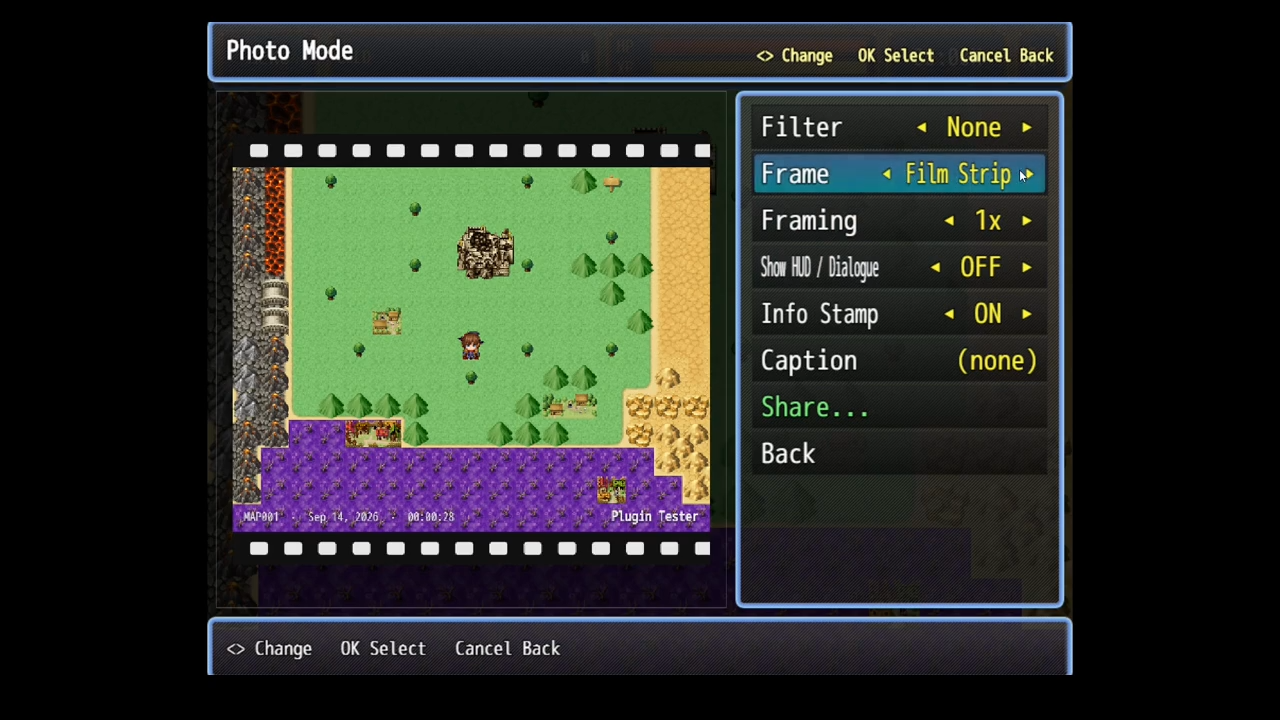
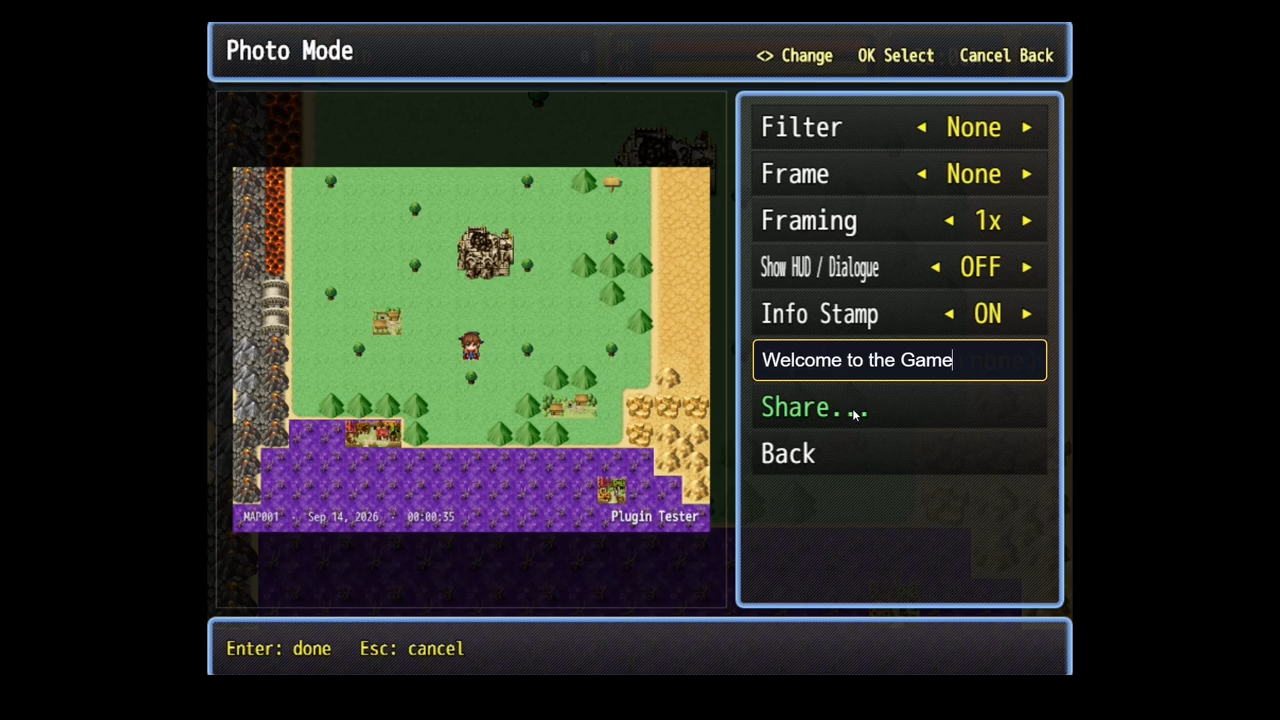
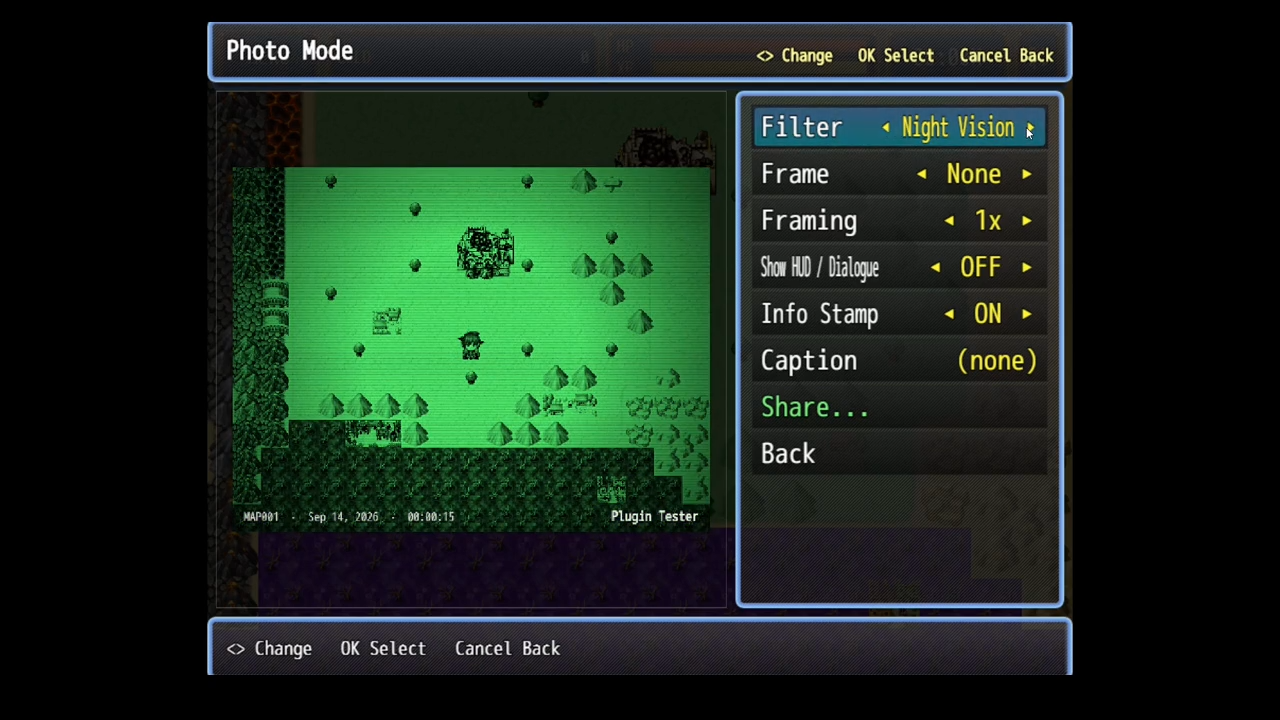
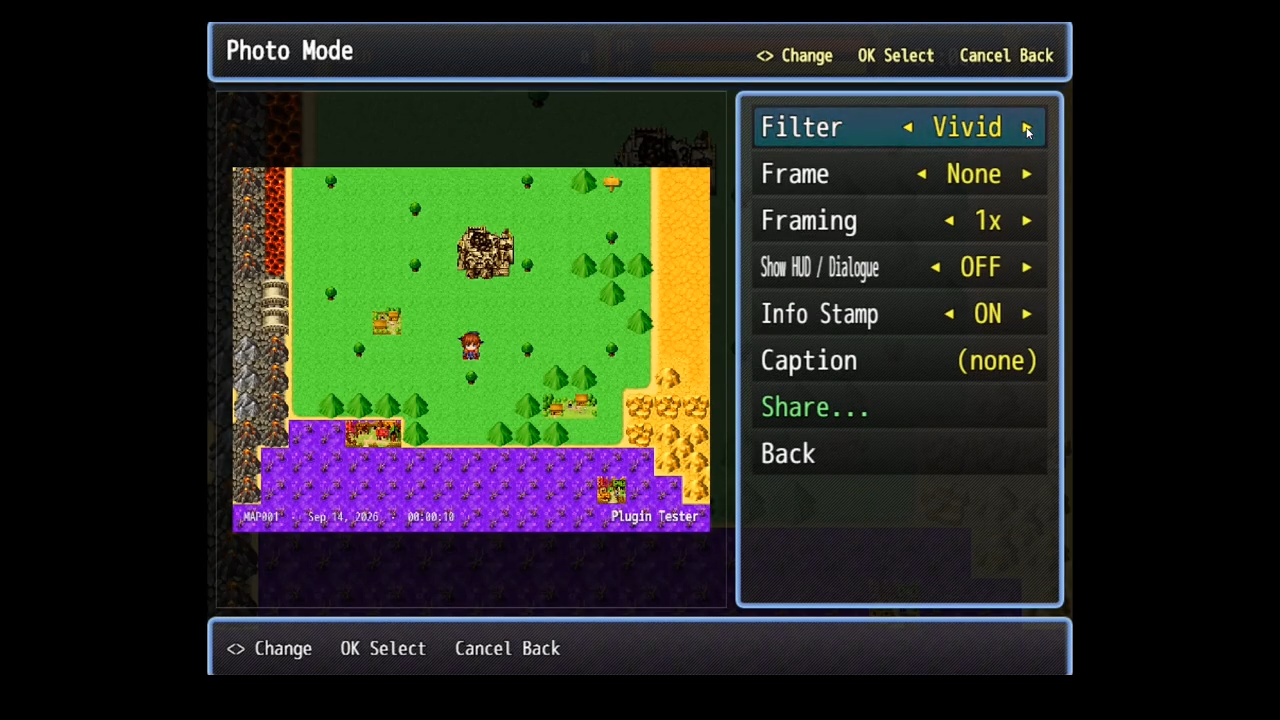
Social Share MZ adds a modern Photo Mode to your game — shutter flash, filters, frames, zoom-and-pan framing — and then lets players post the shot to the platforms they already use. Every image carries your game’s watermark, hashtags, and store link, so each screenshot a player shares is a tiny ad for your game.
Snap → filter → caption → post. That’s the whole loop, and it lives inside your game.
Why I built it
Indie games live and die on word of mouth, but RPG Maker gives players no clean way to capture and share a great moment — they’re stuck with a messy OS screenshot and the HUD in the way. So I built a real photo mode that produces a clean, branded, share-ready image in a couple of button presses, and wired it straight into the sites players post to. Their screenshots do the advertising for you.
What players get
- Photo Mode with a shutter flash and camera sound on capture
- 11 filters — Mono, Sepia, Vivid, Warm, Cool, Vintage, Noir, Night Vision, VHS, and Dread (horror), or none
- 5 frames — Polaroid (the caption is printed on the border), Phone, Film Strip, Thin Border, or none
- Zoom + pan framing like a console photo mode
- Caption presets they can cycle through, or free typing — with auto tokens for
{game},{map},{player},{playtime}, and{date} - A clean shot by default (HUD and windows hidden), with a one-key toggle to include the UI
- A built-in gallery of recent photos they can re-share any time
Where players can share
- Bluesky — posted directly, in-game. The image is attached and sent without leaving the game; the player logs in once with an app password.
- Device share sheet — Instagram, X, WhatsApp, Messages, and anything else installed (on mobile / WebView builds)
- X, Threads, Facebook, Reddit — opens a pre-filled compose page in the browser; the image is auto-copied to the clipboard so the player just pastes it
- Discord — posts the image and caption straight to your channel via a webhook
- Your own server — a webhook (the right place for real Instagram / Facebook Graph API posting, since your backend holds the OAuth tokens)
- Copy to clipboard or Save to device
Options a given device can’t do are hidden or greyed out automatically, so players never see a button that won’t work.
What you get as a developer
- Works out of the box with zero configuration
- Automatic branding — game-title watermark (and an optional logo), plus your default hashtags and store link added to posts
- Rewards hooks — a switch, two variables, and a common event fire on photo/share, so you can hand out an “Influencer” achievement, items, or currency
- Set Photo Style — lock the in-game camera to a specific look (e.g. force Night Vision + Phone frame for a found-footage horror camera, then unlock it later in the story)
- Full scene control — works on the map, in battle, and during dialogue (each individually toggleable), with a Disable Switch to shut it off during cutscenes
- Scriptable — everything is exposed on
window.SocialShare<font face="Lato, sans-serif"><br></font>
---------------------------
Compatibility
- RPG Maker MZ
- Tested across NW.js desktop, desktop & mobile browser, and Cordova / Capacitor builds
- Share targets adapt to the device: direct posting and webhooks work everywhere; the native share sheet appears on mobile/WebView; clipboard works on desktop
A note on Instagram / “post straight to Instagram”: posting to Instagram, Facebook, or TikTok on a user’s behalf requires OAuth with a client secret — and anything shipped inside a game can be extracted, so a secret in your game files isn’t really secret. Social Share only uses methods that are genuinely safe: the player’s own share sheet, public compose links, Discord webhooks, and your own backend. It’s honest about this so you don’t ship something that leaks a token.
Installation
- Drop
SocialShare.jsinto your project’sjs/pluginsfolder. - Turn it on in the Plugin Manager.
- Set your Watermark, Default Hashtags, and Game URL (all optional but recommended).
- Press F9 in playtest — or call the Open Photo Mode plugin command from an event.
Plugin commands
- Open Photo Mode — capture and open the full photo/share screen
- Open Gallery — browse and re-share earlier photos
- Capture Only — flash + capture into the gallery, no UI
- Quick Share Discord — capture and post to Discord with no UI
- Quick Save — capture and save to the device with no UI
- Set Photo Style — force a filter/frame, optionally locked
Download
Click download now to get access to the following files:
Leave a comment
Log in with itch.io to leave a comment.