RSS Feed Display - RPG Maker MZ
A downloadable plugin
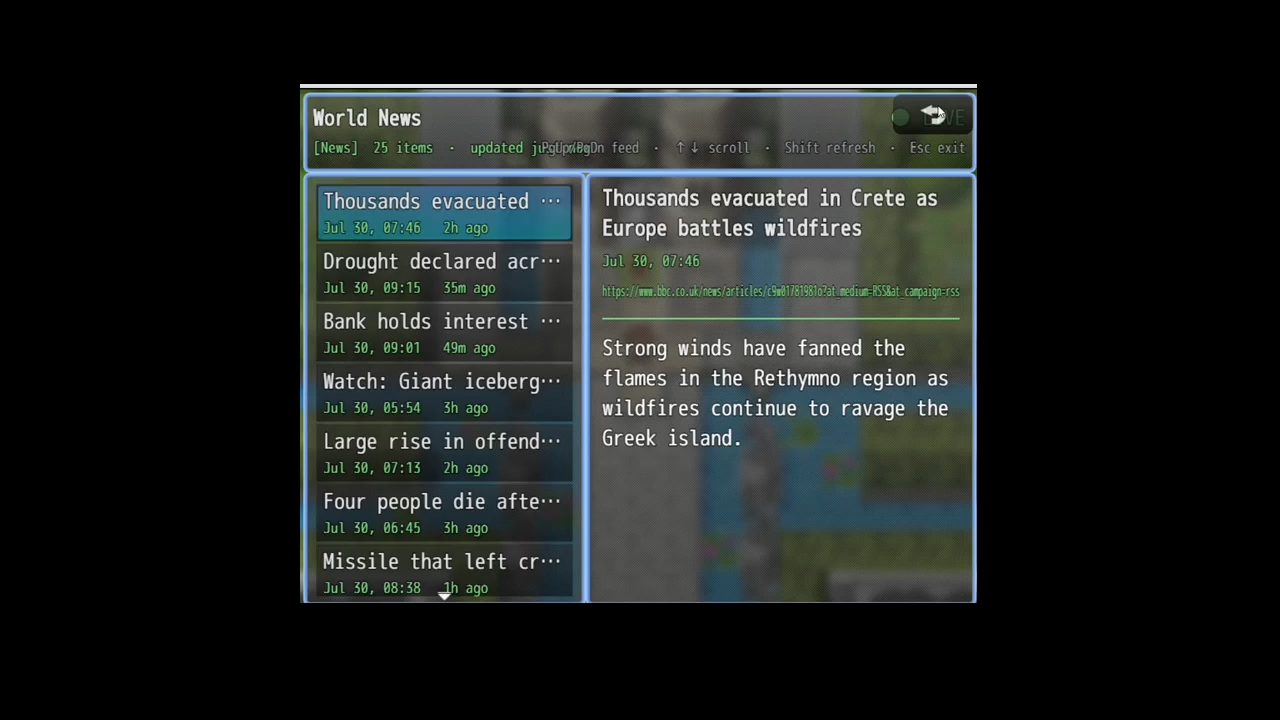
RSS Feed Display drops a working "news terminal" into any RPG Maker MZ game — a live feed of real headlines with a scrollable article reader. Point it at real RSS / RDF / Atom feeds and let players read the actual world from inside your game. Perfect for 2D Wall-Street trading games, newsroom sims, cyberpunk net-terminals, or any project that wants a window onto reality.
Live headlines • scrollable reader • multiple feeds • works on desktop and web.
Features
- Live RSS / RDF / Atom feeds — parses all three formats, including
content:encodedfull-text articles. - Terminal-style reader — headline list on the left, scrollable article on the right, with a LIVE / LOADING / OFFLINE status bar and timestamps.
- Multiple feeds — add as many as you like; players flip between them with PageUp / PageDown.
- Works everywhere — one file for both desktop (NW.js) and web builds. On desktop it fetches any feed with no CORS setup; on web it supports an optional CORS proxy.
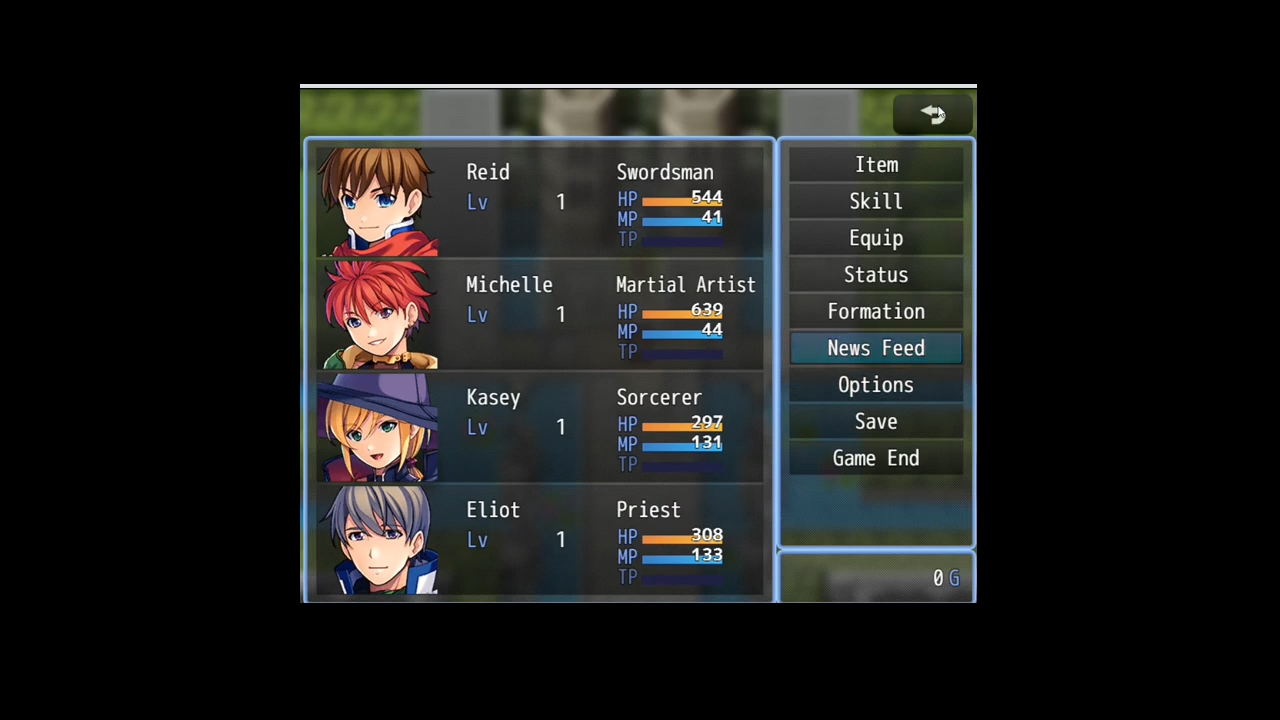
- Two ways to open — from an in-game "computer" event via a Plugin Command, or as a Main Menu command.
- Offline caching — the last good result is cached, so the terminal opens instantly and still shows content when a refresh fails.
- Safe by design — article HTML is stripped to plain text and never executed.
- Themeable — accent and headline colors are parameters; pair with a dark WindowSkin for a full CRT feel.
Quick start
- Drop
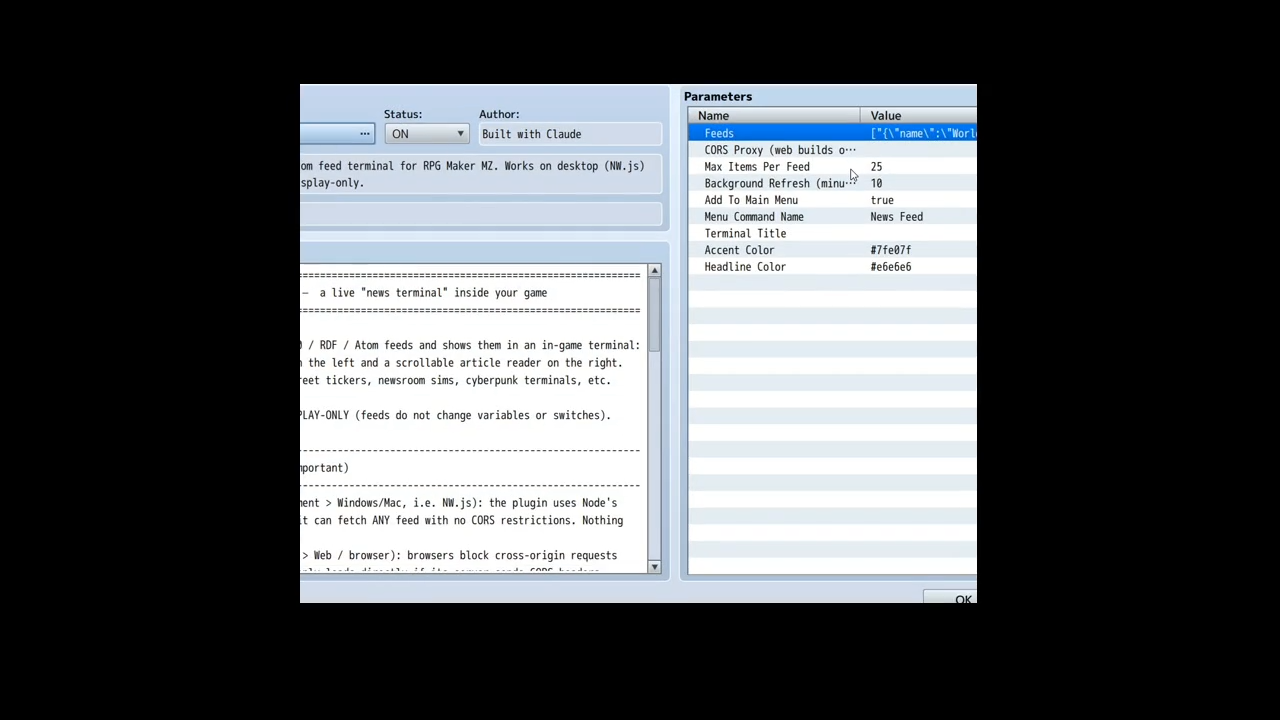
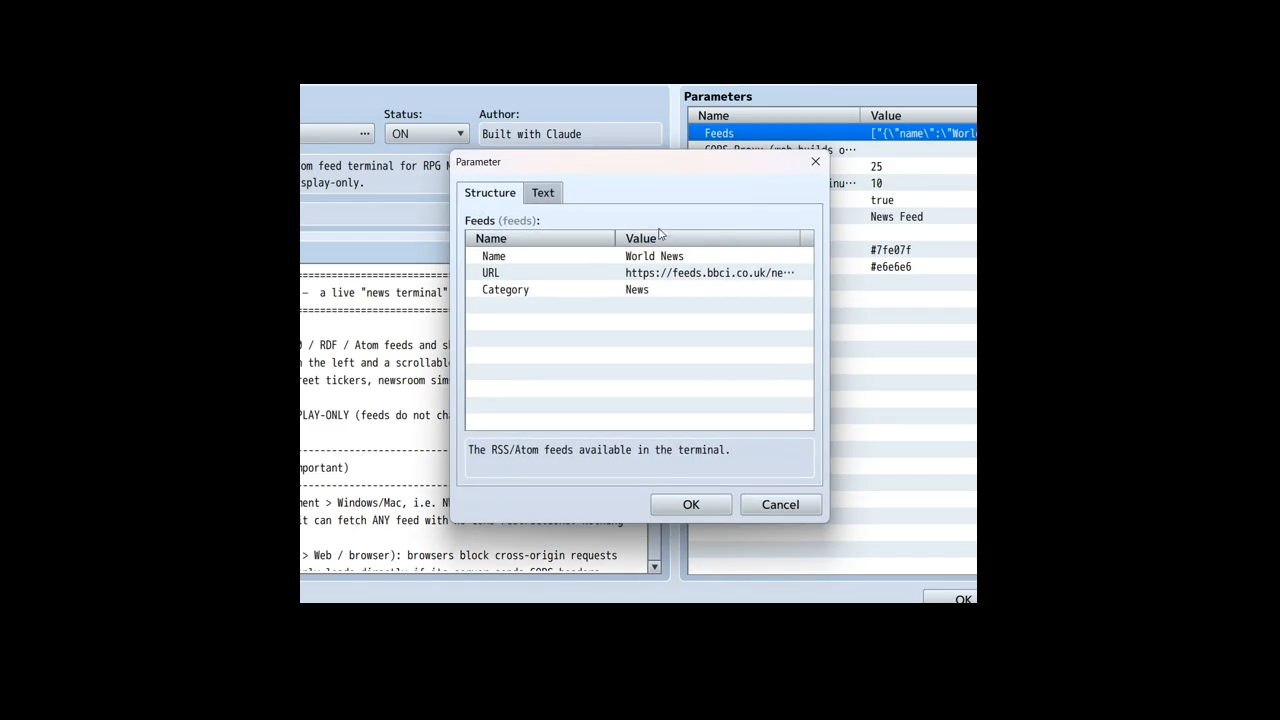
RSS_FeedDisplay.jsintojs/plugins/and enable it in the Plugin Manager. - Open the Feeds parameter and add your feeds (Name + URL, optional Category).
- Open it in-game: put a Plugin Command → Open Feed Terminal on an event, or turn on Add To Main Menu.
Controls
- Up / Down — move through headlines
- OK (Enter / Z) — open an article to read and scroll
- PageUp / PageDown (or Q / W) — switch feeds
- Shift — refresh the current feed now
- Cancel (Esc / X) — back out / close the terminal
Compatibility
RPG Maker MZ, desktop and web deployments. Display-only in this version: feeds are shown to players but do not change variables or switches.
FAQ
Does this work in browser / web builds, or only desktop?
Both. The plugin auto-detects the environment. On desktop (NW.js) it fetches feeds directly with no restrictions. In a browser, cross-origin requests are subject to CORS, so a feed loads directly only if its server allows it — otherwise you set the CORS Proxy parameter to a proxy you trust.
A feed shows OFFLINE on my web build. Why?
Almost always CORS. Browsers block cross-origin requests unless the feed sends the right headers. Set the CORS Proxy parameter (the plugin appends the URL-encoded feed URL to your prefix), or host the feed somewhere CORS-enabled. Desktop builds are unaffected.
What feed formats are supported?
RSS 2.0, RDF/RSS 1.0, and Atom — including full-text content:encoded bodies. Article HTML is stripped to clean, readable plain text.
Can the feed change gameplay — e.g. move stock prices?
Not in this version, which is display-only for safety and simplicity. Mapping feed keywords to variables/switches (so real news can nudge in-game prices) is on the roadmap — let me know in the comments if you want it.
How many feeds can I add? How often do they refresh?
As many as you like. Feeds refresh when the terminal opens and on an optional background interval you set (in minutes; 0 disables background refresh). Players can also force a refresh with Shift.
Is it safe to point at any feed?
Feed text is stripped of HTML and never executed as code, and feeds are the URLs you configure (not player input). As with any content you pull from the web, only use sources you trust.
Can I use it in a commercial game?
Yes — free for free and commercial MZ projects. Credit is appreciated but not required. Please don't resell the plugin itself as-is.
Does it work in RPG Maker MV?
No — this is built for MZ's plugin API (plugin commands, scene/window structure). An MV port isn't available.
Found a bug or want a feature (ticker overlay, MV port, feed-driven variables)? Leave a comment — feedback shapes the next version.
Download
Click download now to get access to the following files:
Leave a comment
Log in with itch.io to leave a comment.