Hush- Proximity Chat Plugin - RPG Maker MZ (Best for horror games/multiplayer)
A downloadable plugin
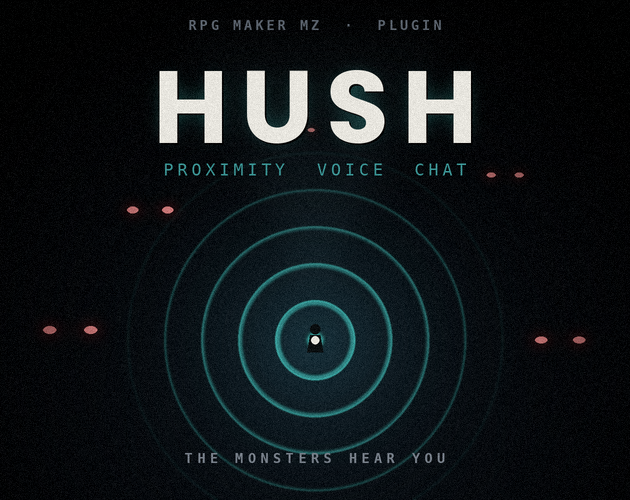
Your voice is the monster's map.
Real-time proximity voice chat for LAN co-op horror — where being loud is the fastest way to die. Teammates fade in and out with in-game distance, and your live microphone loudness becomes a signal the monsters can hunt. Whisper to survive. Scream and they find you.
The loop
01 · Speak — Open mic is on. Every whisper, laugh, and panicked scream leaves your mouth and your character's tile.
02 · Travel — Teammates rise and fall with distance, panned to where they stand. So does everything listening in the dark.
03 · Hunt — Your loudness is a beacon. The host's monsters turn toward the loudest voice they can still hear.
Features
- Proximity voice — Teammates' voices scale with tile distance, with optional stereo panning so your ears tell you which way they are.
- Peer-to-peer, no server — A small WebRTC mesh carries audio directly between machines. No accounts, no hosting, no internet. Pure LAN.
- Noise is danger — Live mic loudness becomes a broadcast 0–1 noise value that monsters can track.
- Host-side hearing — One call,
PVC.loudestAudibleSource(), tells a monster which player it hears and how loud. You write the hunt. - In-game noise too —
PVC.emitNoise()lets doors, footsteps, and breaking glass spike your noise, so quiet players are never fully safe. - Open mic or push-to-talk — Configurable mic mode, mute key, echo cancellation, hearing range, and falloff curve.
- Built to pair with darkness — Designed to sit under vision-overlay packs. Blind the eyes, and the ears become everything.
Requirements
| Engine | RPG Maker MZ |
| Runtime | Desktop / NW.js — Playtest or deployed build. No browser or mobile export. |
| Requires | LanMultiplayer.js (companion plugin), loaded above HUSH
|
| Network | Shared LAN / same subnet · microphone permission |
| Players | 2–4 recommended (full-mesh voice) |
Setup
HUSH is a standalone file that hooks the companion multiplayer plugin. You never edit either one — just get the load order right.
- Drop
LanMultiplayer.jsandProximityVoiceChat.jsinto js/plugins/. - In the Plugin Manager, order them: LanMultiplayer first, HUSH directly beneath it.
- Connect as usual — one player Hosts, the rest Find & Join. Voice starts itself the moment you're linked.
Full instructions, parameters, and monster-hearing examples are in the included README.txt.
FAQ
Do players have to type in IP addresses? No. The companion plugin auto-discovers the host on your local network — one player hosts, everyone else joins with a single command. HUSH rides on that same connection.
Does it work over the internet? It's built for LAN and runs with zero servers on a shared network. Voice is peer-to-peer WebRTC; only the tiny handshake uses the LAN relay. Internet play is possible if you supply your own STUN/TURN servers and expose the host, but that's outside the intended use.
Can I use it in a browser or mobile export? No. HUSH needs the desktop (NW.js) runtime for microphone and WebRTC access. It runs in Playtest and deployed desktop builds, and quietly no-ops where Node isn't available.
How many players can it handle? Tuned for 2–4 co-op. Voice uses a full mesh — every player streams to every other — which is ideal for small groups and heavier as the party grows.
Do I need to run a server? No server, no accounts, no internet. One player hosts the LAN game and audio flows directly between machines.
Will players hear an echo of themselves? No. Your own mic is never routed back to your own speakers, and echo cancellation is on by default.
How do monsters actually "hear" a player? Each player broadcasts a 0–1 noise value from live mic loudness plus any in-game noise you emit. On the host, a monster event calls PVC.loudestAudibleSource(x, y, range) to get the loudest audible player nearby — already scaled by distance — then paths toward them. A full example is in the README.
Is there push-to-talk? Yes — switch the mic mode and set your key, plus there's a mute-toggle key. Open mic is the default, and the scariest.
Does it sync my events, switches, or battles? No. HUSH adds voice and the noise signal only. Movement and positions come from the companion multiplayer plugin; syncing other game state is up to you.
Will it fight with my vision-overlay / darkness plugin? It's designed to pair with them. The only overlap is the optional on-screen noise meter, which draws high; if your overlay covers it, turn the meter off or load HUSH below the overlay.
Do players get a microphone prompt? The operating system asks once on first run. After that it's silent.
Can I use it in a commercial game? Yes — free for commercial and non-commercial RPG Maker MZ projects. You may not resell or redistribute the plugin file itself. (Adjust this line to match your final license terms.)
Download
Click download now to get access to the following files:
Leave a comment
Log in with itch.io to leave a comment.