PlatformerForge — Drag-and-Drop Side-Scroller Maker for RPG Maker MZ
A downloadable platformer
Build a 2D side-scroller in minutes — inside RPG Maker MZ
PlatformerForge turns RPG Maker MZ into a Mario-style platformer studio. It adds a full drag-and-drop level editor and a complete platformer engine, and it builds your levels from the tilesets and character sheets you already have in your project. No new art pipeline, no JavaScript — just drop the plugin in and start painting worlds.
What you get
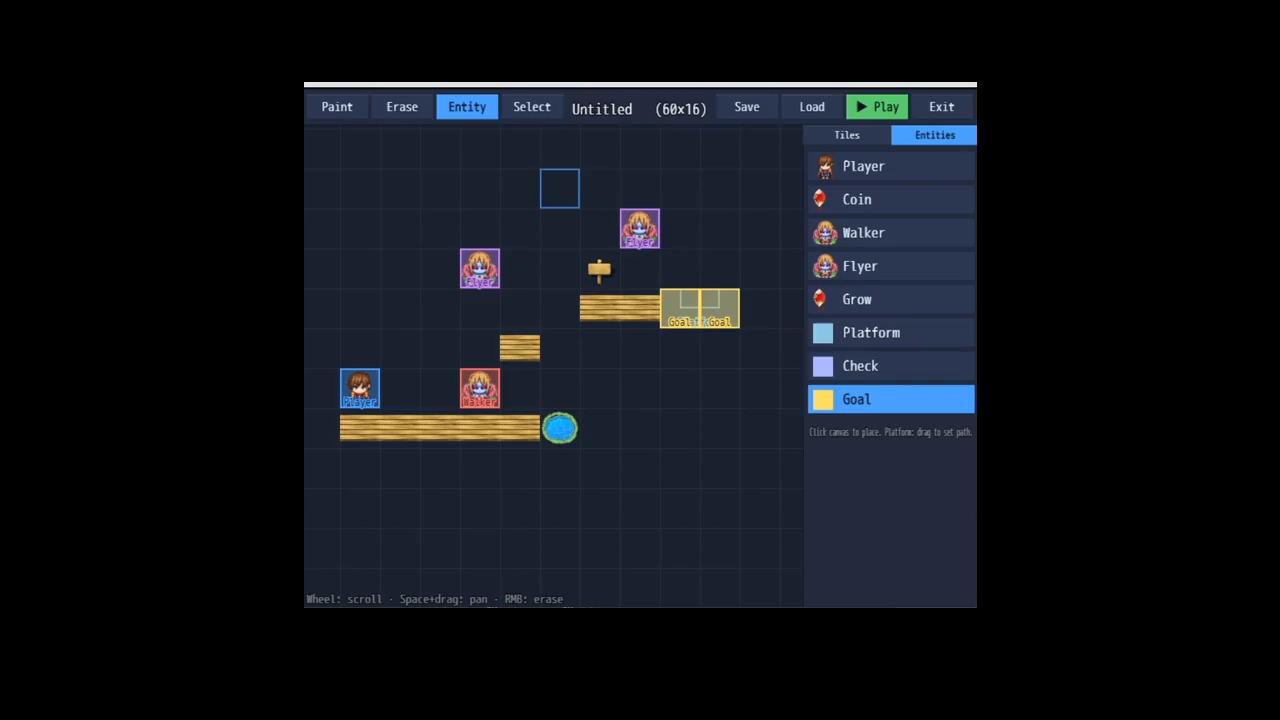
- A real in-game editor. Toolbar, tile palette, entity palette, live cursor, scrolling canvas — paint levels with the mouse, then hit Play to test instantly.
- Reuses your MZ tilesets. The tile palette is built automatically from your tileset's images, at whatever tile size you use.
- Behavior separated from art. A Material selector (Solid / One-way / Hazard / Decor) decides how each painted tile acts, so one piece of art can be ground, a jump-through platform, or spikes.
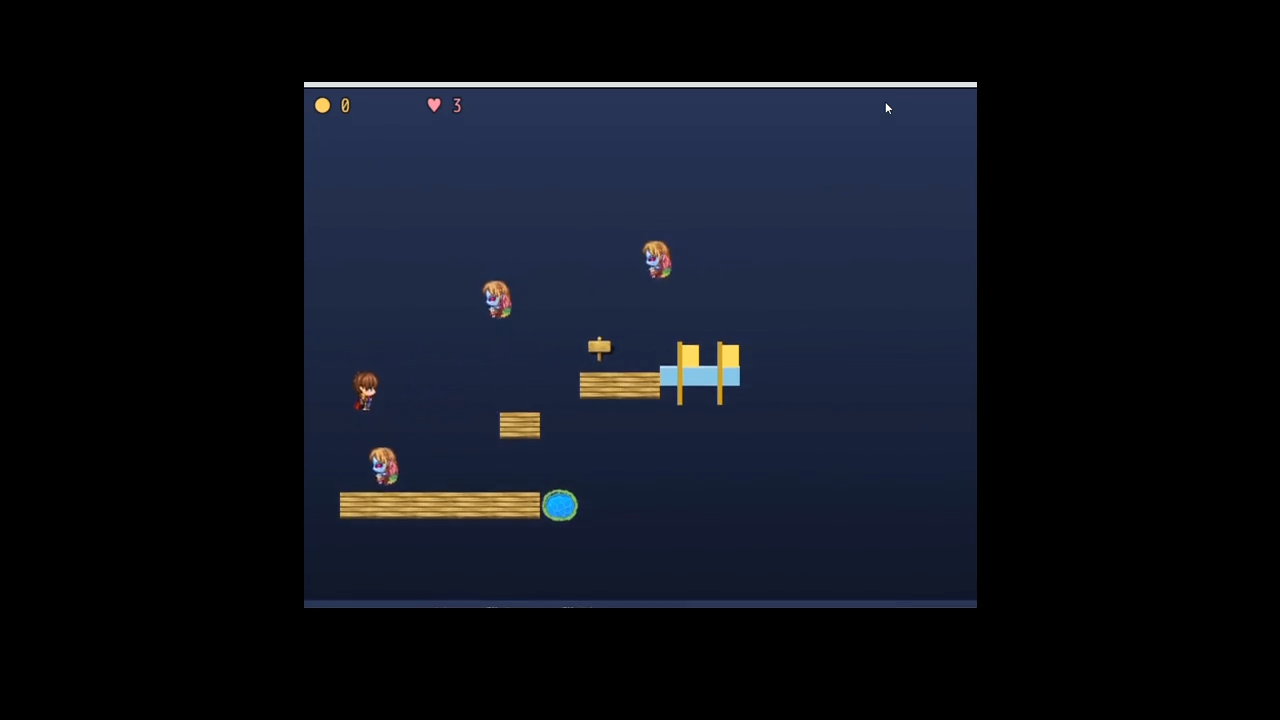
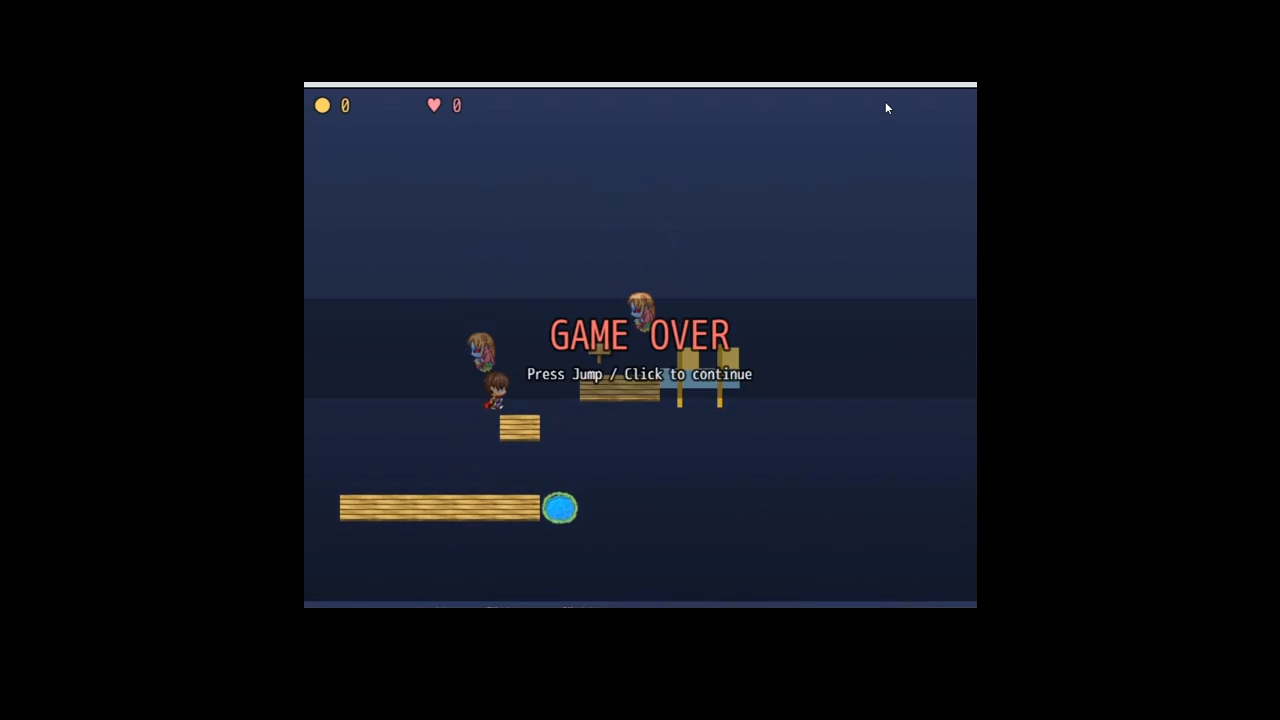
- A full platformer suite: gravity, variable-height jumping with coyote-time and jump-buffering, solid & one-way collision, coins, walker and flyer enemies (stomp to defeat), a Grow power-up, moving platforms, hazards, checkpoints, and a goal flag — plus a HUD, lives, respawns, and win / game-over screens.
- Tunable game feel. Gravity, jump height, run speed, friction, air control and more are all plugin parameters. Dial in exactly the feel you want.
- Smooth on big levels. The renderer only draws on-screen tiles, so wide stages scroll cleanly and stay within GPU limits.
How it works
- Point the plugin at a tileset and your character sprites.
- Press the Editor Hotkey (F10) on any map, or use the Open Editor plugin command.
- Paint terrain, drop in a Player Start, enemies, coins and a Goal Flag, then Save.
- Ship a level to players with the Play Level plugin command.
Controls
Editor: left-click to use the current tool, right-click to erase, mouse-wheel to scroll (Shift for vertical), Space+drag or arrow keys to pan. Play: Left/Right (or A/D) to move, Up/W/Space/Z to jump (hold for higher jumps).
Requirements
- RPG Maker MZ (not compatible with MV).
- A tileset with B/C/D/E or A5 tile pages.
License
MIT — free for commercial and non-commercial games, edits allowed, credit appreciated but not required.
FAQ
Does this work in RPG Maker MV? No — MZ only. MV is built on a different core engine and isn't supported.
Do I need to know JavaScript? No. The editor is entirely drag-and-drop. Plugin parameters and two plugin commands cover setup; everything else is done with the mouse.
What assets does it use? Do I have to import anything? It reuses your existing MZ tilesets (for terrain) and character sheets (for the player, enemies, coins and power-ups). No special import format is required — just point the parameters at files already in your project.
How do I open the editor? Press F10 on any map during playtest (the hotkey is configurable), or trigger the "Open Editor" plugin command from an event.
Where are levels saved, and can I ship them to players? Levels are saved through RPG Maker MZ's own storage (the game's save folder), so they travel with your deployed game. Use the "Play Level" command to load one.
Can players build their own levels? The editor runs at game-time, so you can expose it to players (via the hotkey or a menu command) for a level-maker experience, or keep it dev-only for authoring.
Can I change how jumping and gravity feel? Yes — gravity, jump strength, variable-jump cut, coyote-time, jump-buffer, run speed, friction and air control are all plugin parameters.
Does it support animated autotiles / water? Version 1.0 uses the flat tile pages (A5 and B–E) for placement. Animated A1–A4 autotiles aren't placed yet; they're on the roadmap.
How many enemy types are there? Two behaviors ship in v1: a ground Walker (patrols, turns at walls and ledges) and a Flyer (drifts in a wave). Both can be defeated by stomping.
It's disclosed as AI-generated — is it OK to use commercially? Yes. The plugin is MIT-licensed and free for commercial projects. The disclosure simply reflects that the code was written with AI assistance; the levels and games you make with it are yours.
Something looks wrong — the palette is empty / sprites are invisible. Empty palette → your Default Tileset ID points at a tileset with no B/C/D/E or A5 images; pick another. Invisible characters → the sprite names in the parameters must match files in img/characters/ (e.g. Actor1, Monster).
Leave a comment
Log in with itch.io to leave a comment.